Novedades de SDC Verifier

Mejoramos constantemente SDC Verifier para mantenerlo a la vanguardia de la ingeniería estructural. Cada nueva versión incluye funciones innovadoras, actualizaciones en el cumplimiento de las normas y correcciones de errores.

Aquí encontrarás información detallada sobre las últimas novedades de la versión más reciente de SDC Verifier. Descubre las novedades y comprueba cómo estas actualizaciones pueden ayudarte en tus tareas de diseño y verificación.

New Standards

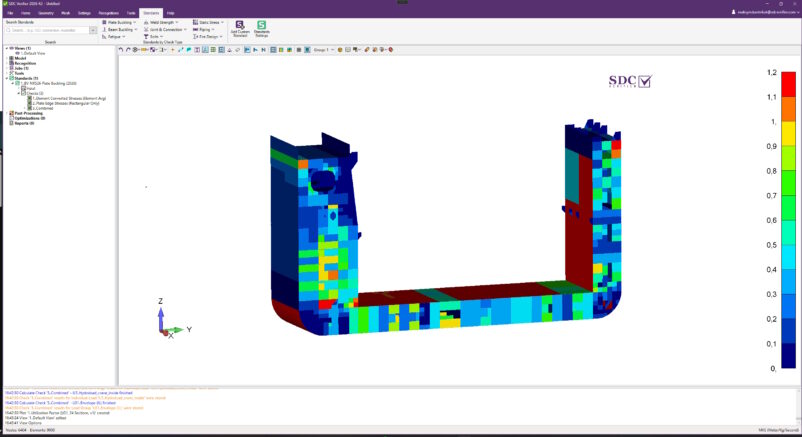
BV NR526 Plate Buckling (2026) 

Enables plate buckling verification for lifting appliances onboard ships and offshore units in accordance with BV NR526 (January 2026), Chapter 2, Appendix 4. 

  SDC Verifier

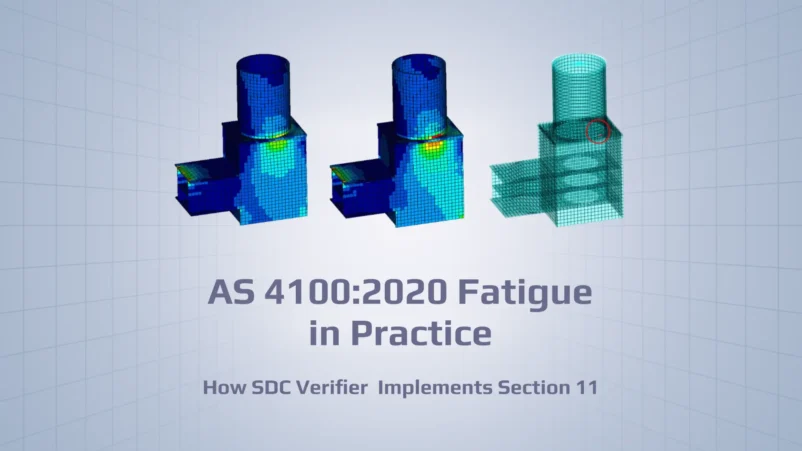
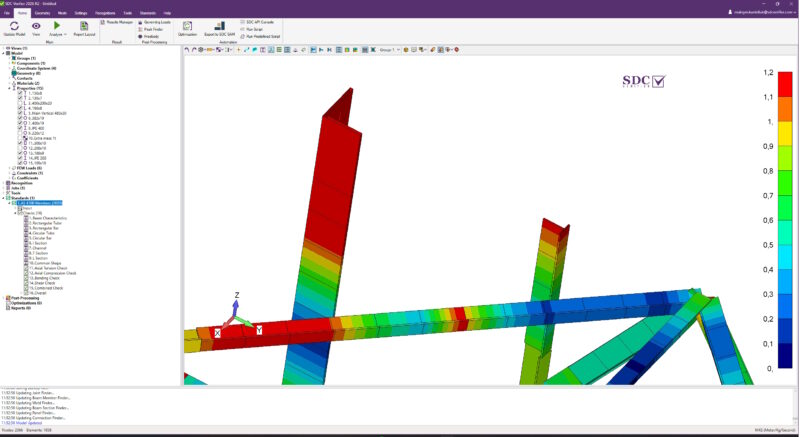
AS 4100 Members (2020) – Update 

Expands member design and verification according to AS 4100 (2020) with support for T-Sections and equal-leg Angle sections, covering tension, compression, bending, shear, and combined actions. 

  SDC Verifier

API RP 2A-LRFD Connections (2nd, 2019) 

Enables tubular connection verification according to API RP 2A-LRFD (2nd, 2019), Chapter 14, supporting offshore structural design and assessment. 

  SDC Verifier

ISO 19902 Connections (2nd, 2020) 

Enables tubular joint verification according to ISO 19902 (2nd, 2020), Chapter 14, supporting the design and assessment of offshore structures. 

  SDC Verifier

Combined Flat and Curved Plate Buckling Standards 

Enables buckling verification of models containing both flat and curved plates by combining DNV RP-C201 Plate/Stiffener/Girder Buckling (2023) and DNV RP-C202 Curved Plate Buckling (2019). 

  SDC Verifier

New features in SDC Verifier

Compatibility 

  • Now compatible with Simcenter 3D 2606 and Femap 2606. 

3D View in SDC for Ansys 

  • Introduces 3D View support in SDC for Ansys, providing improved performance and visualization when working with SDC Criteria and Contour Plots for load and check results. The first iteration is available as a BETA feature. 

Screenshot of ANSYS SDC UI showing Rendering Options with 'Use SDC Graphics Window (BETA)' checked, and a blue 3D structural model on the right.

New Standards Tab on Ribbon 

  • Improved Standards Search and Organization 
  • Standards are now organized by check type and can be searched by name, industry, year, country, or check type, making it easier to find the required standard. 

SDC Verifier 2026 R2 with Standards tab open; left panel shows a searchable list of standards (e.g., ABS FPI Plate Buckling 2024) and a tooltip with Industry: Offshore & Maritime, Country: USA, right panel displays a 3D model viewport.

Multiaxial Fatigue Tool 

  • Provides the data required for multiaxial fatigue assessment according to DNV RP-C203 Fatigue (October 2024), Chapter 5.6. 

Screenshot of Multiaxial Fatigue software showing weld stress options and a data table of elements and loading

Brace Stress Tool – Plastic Buckling Stress 

  • Added Plastic and Elastic Buckling Stress calculations to the Brace Stress Tool. Both stress types can now be used in supported standards. 

Screenshot of Brace Stress Tool showing tables of IPB elastic stress and chord axial stress for braces and connections in a data grid.

No-Solver SDC Verifier 

  • SDC Verifier can now provide modelling, model reading, verification, post-processing, and reporting capabilities without requiring an analysis solver. 

Recognition Tools in Report Designer 

  • Added Beam Section Finder, Connection Finder, and Joint Finder to Report Designer, providing access to essential recognition data directly in reports. 

Screenshot of a technical report page titled 'Joint Finder Info' and 'Beam Sections Finder Info' with data tables and a small diagram on the right, plus a navigation pane on the left.

Weld Finder – Naming and Sorting 

  • Improved Weld Finder with support for renaming multiple welds, easier selection, and improved sorting. The Weld and Weld Parts tables have also been redesigned to provide more relevant information. 

Screenshot of the Welds Finder interface showing a welds table with IDs, titles and properties, plus overlapping dialogs for entering a Weld title and editing weld parts.

Views for Peak Finder Plots 

  • Peak Finder can now be used with Views, preserving camera position, model styles, and other view settings for more consistent result visualization. 

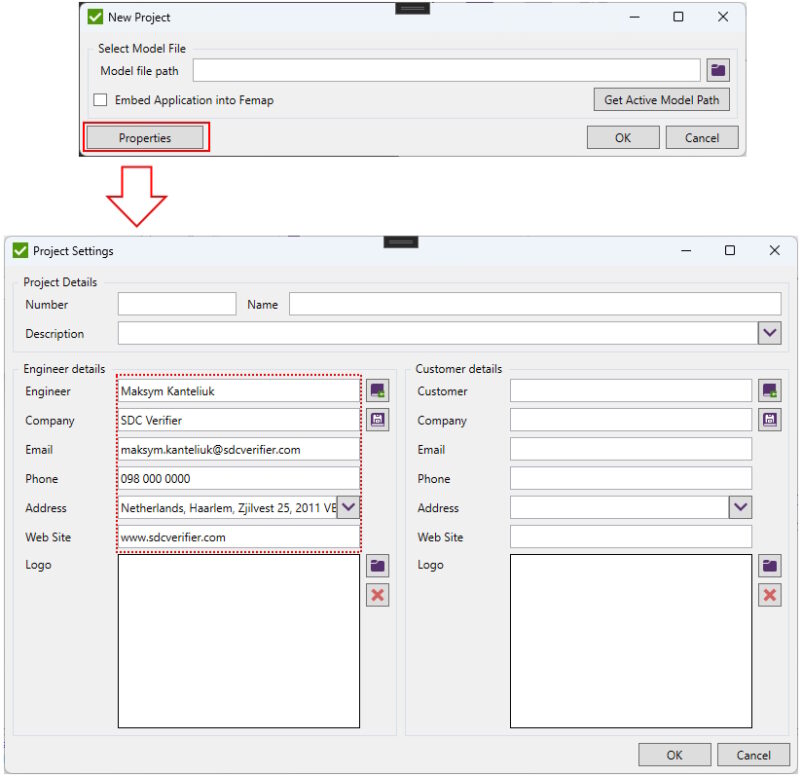
New Project 

  • Simplified project creation by automatically synchronizing engineer information from the user account, reducing manual data entry.

Screenshot of two windows: a New Project dialog with a Properties button, and a Project Settings form showing engineer details (Maksym Kanteliuk, SDC Verifier) and company info. 

Undo and Redo 

  • Added Undo and Redo commands to the SDC Verifier toolbar for easier editing and navigation. 

SDC Verifier UI with Recognitions tab active; red box highlights Undo and Redo buttons.

Auto-Launch After Installation 

  • SDC Verifier can now be launched automatically after installation, providing immediate access to the application. 

Improvements

Connection Standards
Updated ISO, API, and Norsok Connection standards to support Plastic Buckling Stresses.. 

Fatigue Check Performance
Improved the performance of building the Expand Table for Fatigue Checks.. 

Joint Check
Improved handling of the Overlap condition in the Joint Check table.. 

AIJ Standard Naming
Renamed the existing AIJ (2005 Edition, 2017) standard to AIJ Members (2005 Edition, 2017) for better consistency with other standards.. 

Background Processing
Improved SDC Verifier responsiveness by allowing background logging while other windows are open.. 

Model Views in Report Designer
Views selected through Apply to Selected can now be used for Model Plots in Report Designer. 

SDC for Ansys – Solver-Free Plotting
SDC for Ansys can now generate plots without requiring a solved solution in Mechanical. 

Panel Finder – Girder Recognition
Added support for predefined girders modelled with plate elements, allowing them to be included in Panel Finder settings and plate recognition. 

Plate and Cross-Section Thickness Display
Simplified thickness display in SDC Verifier by returning to a single option for Plates and Cross-Sections. 

Effective Plate Width – Unit System
All values in the Effective Plate Width Tool are now displayed using the selected Display Unit System. 

Bug fixes

Stability & Crashes 

  • Fixed a crash when creating Eurocode 3 Members (EN 1993-1-1, 2005) for models containing Rod properties. 
  • Fixed a crash in SDC Verifier after importing .fil files. 
  • Fixed an issue where the Main Form failed to initialize. 
  • Fixed a soft lock in Presentation. 
  • Fixed a crash in Panel Finder after recognizing edited plates. 


Usability 

  • Fixed Pick Zone Table not appearing on the taskbar. 
  • Fixed Weld Check Flow Table not appearing under Checks. 
  • Fixed number formatting for Labels in Criteria Plot. 
  • Added automatic minimization of Report Designer when selecting items from the Property Grid. 
  • Fixed visibility of Properties in SDC Verifier. 
  • Fixed visibility of plate thicknesses from the toolbar. 
  • Fixed the tooltip for NACA TN 3781 Plate Buckling (1957). 
  • Fixed SDC Verifier locking during Autosave. 
  • Fixed the progress bar becoming stuck during Save As. 
  • Fixed incorrect Geometry updates in the SDC Verifier Tree. 
  • Fixed empty selection after adding Wind Drag Coefficients for Components and Materials. 
  • Fixed an issue with opening internal windows for the first time. 
  • Fixed license module expiration check in SDC. 
  • Fixed Empty selection on Wind Drag Coefficients. 
  • Fixed Arrows are not displayed in Wind/Wave load in Ansys. 


Calculation Fixes & Standards Correctness 

  • Corrected Eurocode 3 Members formulas for Bending and Axial Utilisation Factors. 
  • Improved the Uf_Biaxial calculation by adding comparisons with individual results and using the maximum of all three values as the output. 
  • Corrected formulas for piles in API RP 2A-WSD. 
  • Fixed division-by-zero errors for beam members with Lambda < 60. 
  • Corrected Eurocode 3 Members formulas for RHS sections. 
  • Fixed swapped Ty and Tz values for RHS sections. 
  • Corrected the section modulus formula in API RP 2A-LRFD Connections (1st, 1993). 
  • Fixed the Bending and Axial checks in Eurocode 3 Members (EN 1993-1-1, 2005). 
  • Fixed error on editing Check in the SDC for Femap embed mode. 
  • Fixed messages in Component/Material/Property Plotter for “Label Top-Vertical offset“ and “Labels per Row” fields. 


Report Designer 

  • Fixed the Page Break Before setting changing from “Yes” to “No” after editing a plot. 
  • Fixed Peak Finder losing its selection and automatically switching to all entities. 
  • Fixed the user-defined power value category is not reflected in the report tables in Ansys 
  • Fixed incorrect tree configuration in the report after adding multiple Jobs Load Content. 


Results & Data Handling 

  • Fixed reading results from Ansys using DPF. 
  • Corrected Hot Spot Stress calculations for Solid Elements. 
  • Fixed result reading for Cable and Link elements in SDC for Ansys. 
  • Fixed Time Step handling for Transient Analysis plots in SDC for Ansys. 
  • Fixed GP Forces result reading for models containing only Solid Elements. 
  • Fixed Top and Bottom result plotting in SDC for Simcenter 3D. 
  • Fixed Wind Load result handling in SDC for Ansys when a comma is used as the decimal separator. 
  • Fixed incorrect element type recognition for Abaqus models imported into Simcenter 3D. 
  • Fixed Check corruption after deleting a Parameter. 


Recognition 

  • Fixed incorrect Csys determination in Weld Summation Tool for certain models. 
  • Fixed incorrect gap calculations between braces in connection checks. 
  • Fixed recognition of duplicated elements in Connection Finder. 
  • Fixed incorrect behavior in Panel Finder after recognizing edited plates. 
  • Fixed plotting of Plate-Beam, Plate 2Dy, and Plate 2Dz connections in Joint Finder. 

¿Cómo quieres empezar?

Versión de prueba gratuita

Explora SDC Verifier: independiente o integrado con Ansys, Femap o Simcenter 3D. Importa tus modelos, prueba funciones y experimenta la verificación automatizada en acción.

Descargar prueba gratuita

Consulta de ingeniería

Trabaja con nuestros expertos en ingeniería para abordar cálculos estructurales complejos, optimización del diseño o tareas de certificación. Obtén el apoyo que necesitas para el éxito del proyecto.

Solicitar una consulta
Suscríbete a nuestro boletín

    What would you like to know more about SDC Verifier?
    Loading