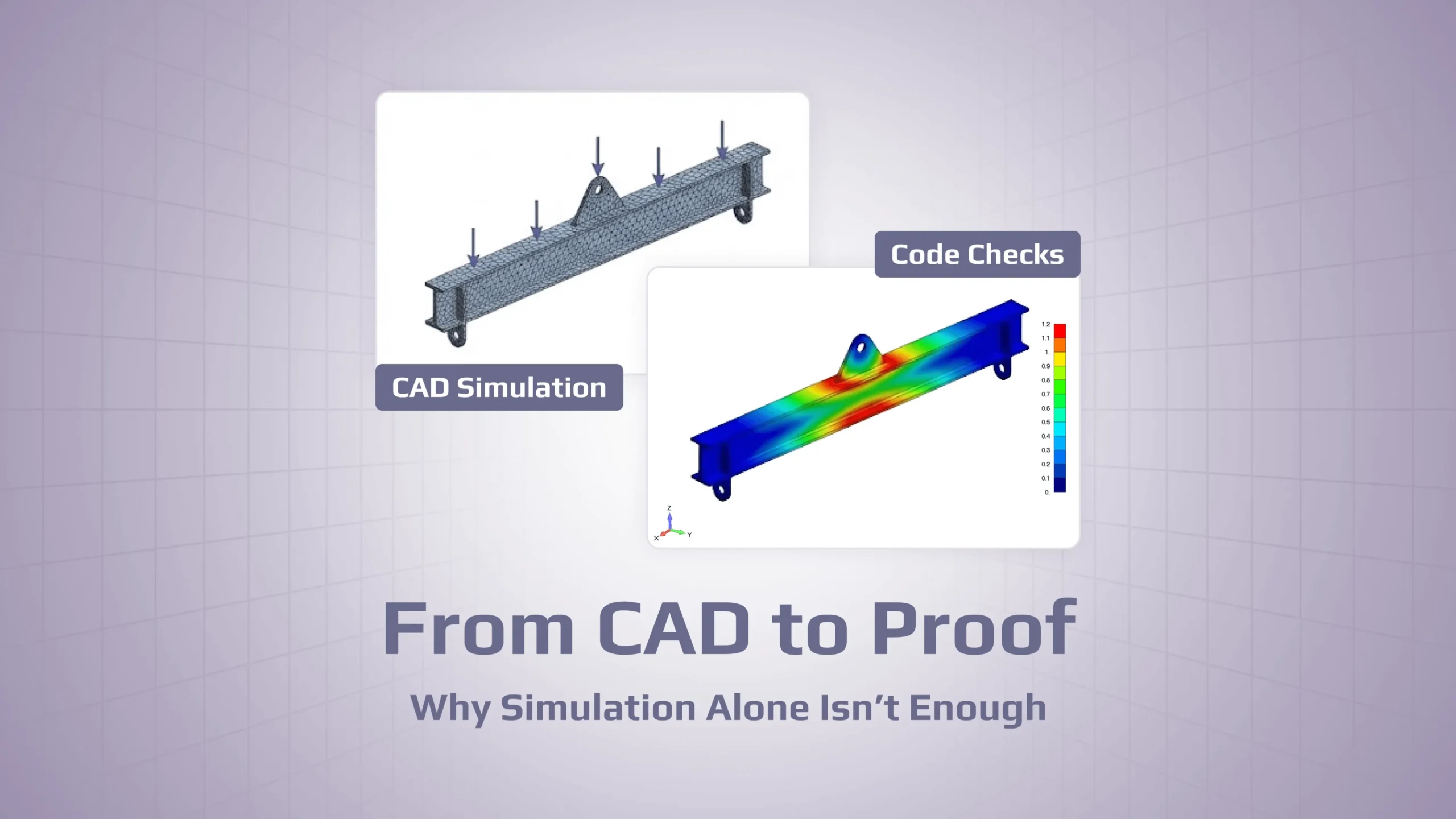
CAD-embedded simulation is great for fast “is this obviously wrong?” checks while you iterate on geometry — but it usually stops at stress/deflection plots, not standards-based proof.
The “proof gap” shows up the moment someone asks for standards, combinations, and margins: multiple load cases, factors/limit states, buckling/fatigue checks, and “what governs” logic aren’t built into most CAD simulation tabs.
Without a verification layer, traceability falls apart fast (which model, which loads, which assumptions, which spreadsheet version), and “screenshots + notes” don’t survive QA, certification, or time.
The practical fix is a layered workflow: keep CAD for geometry, keep your FEA solver for physics, and add a verification layer (e.g., SDC Verifier) for code checks, governing cases, and repeatable reports.
Most design teams today have a Simulation tab in their CAD system. Many design engineers will run a quick study when something feels risky: set up a load, hit solve, glance at a von Mises plot, and move on.
But the moment a client, certifier or internal reviewer asks:
“Can you show me how this meets the standard?”
that colourful stress picture starts to look very thin.
By “proof” here I mean something concrete: a traceable chain from loads, through analysis, to checks against a recognised standard, in a form you can still defend six or twelve months later. Not just “it looked blue on the screen”.
At the same time, simulation and analysis software is no longer a niche corner of engineering. Many design engineers now touch FEA or CFD at least occasionally, often directly from within CAD.
See Code Checks on Your Own FEA Model
Run standards-based strength checks directly on your existing FEA model. Download SDC Verifier, import your structure, and get clause-based utilisation instead of just a stress plot.
If you’re a design engineer, your day is dominated by geometry, not analysis. You build and adapt assemblies, keep models and drawings in sync, handle engineering changes, and solve fit-up or manufacturability issues. Loads and stresses are there in the background, but often as rules of thumb:
this frame worked on the previous project;
this beam feels heavy, let’s shave some weight;
we always add a stiffener here and it’s been fine.
Simulation usually appears as a sanity check. You set up a static study with a guessed “worst” load, accept default mesh and solver settings, and see if anything is obviously overstressed. If nothing is violently red, you keep going.
Geometry (left) and FE mesh (right) of a steel connection: design work happens onsolids, verification happens on elements.
When practising engineers discuss built-in simulation in public forums, they describe exactly this pattern: SolidWorks Simulation as “a quick sanity check – a design engineer’s tool”, something you use to get a design near final before handing it to an analyst who will redo critical cases in a more flexible FEA environment and document them properly; Fusion 360’s FEA as an “entry-level” extension of CAD rather than a place where you try to close out a certification package.
The trouble starts when that first-pass tool is treated as if it were a complete verification environment.
What CAD-embedded simulation is actually good at
Running simulation directly inside the CAD tool lowers the barrier to entry. Youdon’tneed to export geometry, clean it again, set up a separateenvironmentand keep versionsin sync. You stay in one model. For many design tasks,that’sexactly what you want: tweak a rib, change a thickness, move a lug, rerun, see the effect.
Simplifying geometry for FEA: small features like holes can be removed, but corner radii and load paths still matter for a realistic stress field.
The interface is designed for this kind of work. Wizards guide you through setup. Material libraries and contact detection are mostly automatic. Meshing is push-button. Post-processing focuses on a few recognisable plots rather than custom result pipelines. In some higher-end systems, the embedded solver is even the same family as used in standalone FEA. The practical limits come from license tiers, from how much control the interface exposes, and from what a typical CAD seat is expected to do.
When CAD models are imported into FEA tools, they don’t always arrive “analysis-ready”. Small gaps, overlaps, missing surfaces or sliver faces appear because the model was created for manufacturing or visualization, not for meshing. Features like tiny holes, fillets or very thin sections can easily produce bad or distorted elements that have to be cleaned up before you can trust the results.
Early-stage concept screening, quick feedback on geometry changes, avoiding obviously unsafe ideas before they ever reach a specialist.
The problem is that project requirements, standards and documentation expectations often live outside it.
Where built-in simulation stops being enough
There are three main areas where CAD-embedded simulation usually can’t carry the full load: the technical side (loads, standards, margins), the process side (traceability), and the organisational side (doing things consistently across many designs).
Loads, combinations, standards and margins
Real structures rarely see a single static load.
A lifting beam will see different sling configurations and angles. A skid might be supported one way in operation, another way during transport, and a third when lifted. Offshore or seismic structures see environmental loads superimposed on operating loads. Fatigue is driven by many cycles at varying amplitudes.
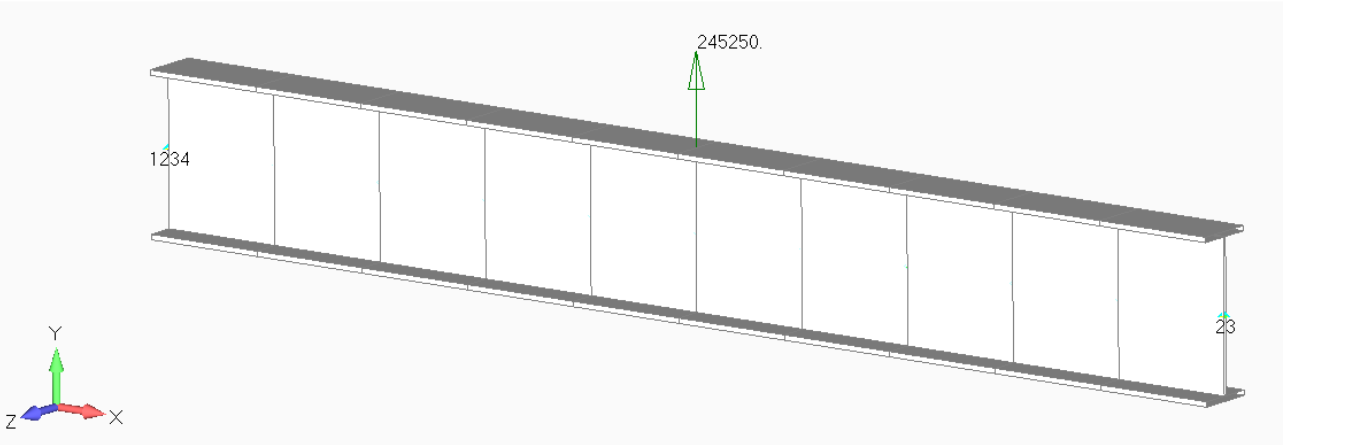
Example of a spreader beam model. In real projects, each rigging configuration and sling angle becomes its own load case and combination.
Handling that properly means:
separating load cases;
defining combinations and factors;
in many cases, thinking in terms of different limit states.
Mainstream FEA solvers are built for this. CAD-embedded tools can define a few loads, but combination logic is basic, envelopes are simple, and fatigue, buckling or stability checks are usually absent or heavily simplified.
On top of that, most serious projects are judged against standards, not pictures. Clients and certifiers care about utilisation according to EN 1993, AS 4100, DNV, API or internal company rules. They will ask which clause was used, what partial factors apply, and how combined stresses were evaluated for beams, plates, stiffeners and welds.
CAD simulation environments generally stop one step short. They give you stress and displacement fields, but not the code-level checks built on top of those fields. You can export results and perform checks in Excel, Mathcad or a verification tool, but that is now a separate, manual chain laid alongside the CAD study.
Finally, there is the question of margins. “No red” on a von Mises plot is not a safety factor. You need to know which location governs, how close it is to the limit under the selected standard, and which load combination actually drives it. CAD-embedded tools are not designed to automate that search across a full model and many load cases.
Traceability and configuration control
Even if individual engineers get technically sound answers out of CAD studies and spreadsheets, the process around those answers is often fragile.
Simulation inputs and outputs are rarely managed with the same discipline as CAD models. The model used for the study might not match the released design. Loads and boundary conditions are recorded in emails, slide decks and meeting notes. Screenshots of stress plots pasted into a document end up serving as the “report”.
Spreadsheets sit in the same grey zone. Under a controlled QA regime, with versioning and checks, they can be part of an auditable chain. Copied to local drives, renamed and tweaked per project, they quickly turn into something nobody fully trusts.
Months later it can be hard to answer basic questions like “What model did we analyse?” and “What did we assume about loads when we accepted this design?”
Doing it the same way twice
Most companies design families of similar structures: lifting beams with different capacities, a range of frames and skids, recurring deck or panel layouts. Ideally, similar structures would be checked in similar ways. When design rules change, that change should flow into future designs in a controlled way.
When every verification lives as a CAD study in one person’s file plus some personal spreadsheets, consistency depends almost entirely on individuals. You can get safe designs from a cautious team. You don’t get a method the organisation can rely on independently of who is currently in the office.
Summary table: CAD sim vs verification layer
At this point it helps to make the contrast explicit. Built-in CAD simulation and a verification layer on top of FEA are solving different parts of the problem.
They do different jobs. Most real projects need both.
A second layer above your existing FEA
The way forward is not to ban CAD simulation or to push every problem into a central CAE group that becomes a bottleneck.
A more practical option is to treat verification as a separate layer above the FEA model you already have.
In that setup:
CAD remains the place where you shape the structure.
Your main solver remains the place where you build the mesh, apply loads and compute stresses and displacements.
A dedicated verification environment sits on top and focuses on loads, combinations, standards and reports.
After the usual analysis run, the verification layer reads the model, understands how beams, plates, stiffeners and welds map to elements and sections, and applies the checks required by the relevant standard. It then finds the governing locations and load combinations and produces a structured report: these loads, these clauses, these utilisation values, based on this specific model.
The FEA solver stays where it is strong: solving the physics. The verification layer does the repetitive, rule-based work of turning fields into code checks and documentation.
What this looks like on real structures
Three common structure types make the difference obvious: lifting devices, equipment skids, and plated structures with stiffeners.
Lifting beams and spreaders. A lifting beam will usually be used with several rigging arrangements and sling angles. The lifting device standards such as ASME BTH-1might require dynamic factors, limits on deformation, and explicit utilisation margins for sections and welds. A single static CAD study with one guessed “worst case” load and a stress plot simply doesn’t cover that. In a layered workflow, you still analyse the beam in your usual solver, but the lifting standard is implemented in the verification layer. All relevant lifting scenarios are treated as load cases and combinations; the tool evaluates sections and welds according to the code and reports which lug, weld or section actually governs under which combination.
Equipment skids and support frames. Skids and frames see different states: operating, transport, lifting, sometimes accidental or seismic conditions. Supports change between these states. Checking this properly means considering several load cases and combinations, then applying a steel design standard for beams, columns and bracing. CAD-embedded simulation can give you a feel for stress in one scenario; it is not designed to manage many combinations and an external code at the same time. A verification layer on top of FEA can.
A simple way to think about maturityPlates and stiffeners. For plated structures – decks, walls, tanks, offshore members – standards typically require buckling checks in axial, shear and combined states, rules for stiffeners and girders, and sometimes fatigue checks. FEA gives you A simple way to think about maturitystress patterns; turning those into slenderness, critical stresses, interaction factors and utilisations across hundreds of panels is exactly what a code-aware verification tool is meant to automate. CAD-embedded simulation does not attempt this.
The limiting factor is everything that happens after you have the stress field.
Bringing verification in without derailing the team
If you are responsible for a design or analysis group, the key question is how to introduce this extra layer without choking ongoing work.
In practice, successful rollouts start small. Teams usually pick one recurring structure type that matters — for example, lifting devices or skids — and standardise loads and combinations for that one type. Together with an analysis specialist, they implement the required code checks once in the verification environment and validate them against a handful of reference problems that were previously done by hand.
Once this baseline is in place, the team agrees when the verification layer must be used. New designs, major redesigns, new standards or new operating environments are obvious triggers. Engineers already feel when a design moves outside “this is just a small variant”; the only new step is making that threshold explicit.
Finally, reports from the verification layer become part of normal deliverables. Internally, design reviews are not closed without them. Externally, they sit alongside drawings and FEA summaries in the package you send to a client or certifier. If you already have PDM or SPDM, those reports live there with the models and analysis runs, so geometry, analysis and verification stay tied together.
If you want to see how we automate that documentation step, we’ve described it in detail here.
CAD models and your main FEA tool stay where they are. What changes is that there is now a clear place and process for turning “we ran a simulation” into “here is how this design satisfies these rules under these loads”.
Closing thoughts
CAD-embedded simulation has done something important: it normalised the idea that design engineers should think about structural behaviour early, not just at the end.
But expectations around proof have moved. In many sectors, “I ran a study and nothing was red” is no longer enough. Clients and certifiers expect clear links to loads and standards. Organisations that care about risk and liability want methods they can repeat and audit, not one-off studies and private spreadsheets.
Most experienced engineers already have a good feel for whether a design is safe. The question that matters at the next incident review, certification audit or difficult client meeting is simpler and less comfortable:
When someone asks “How do you know?”, can you still show them?
Turn CAD Stress Plots into Proof-Level Reports
Take one real lifting beam, skid or plated structure and have it verified with SDC Verifier on top of your current FEA. See governing locations, load combinations and a report you can hand to a client or certifier.