We have two major updates per year (following the release of new versions of Ansys, Femap, and Simcenter 3D).
Our updates ensure compatibility with the latest version of FEA software, we also add various new functions and implement at least 2-3 new industry standards.
How to get started with SDC for Ansys?
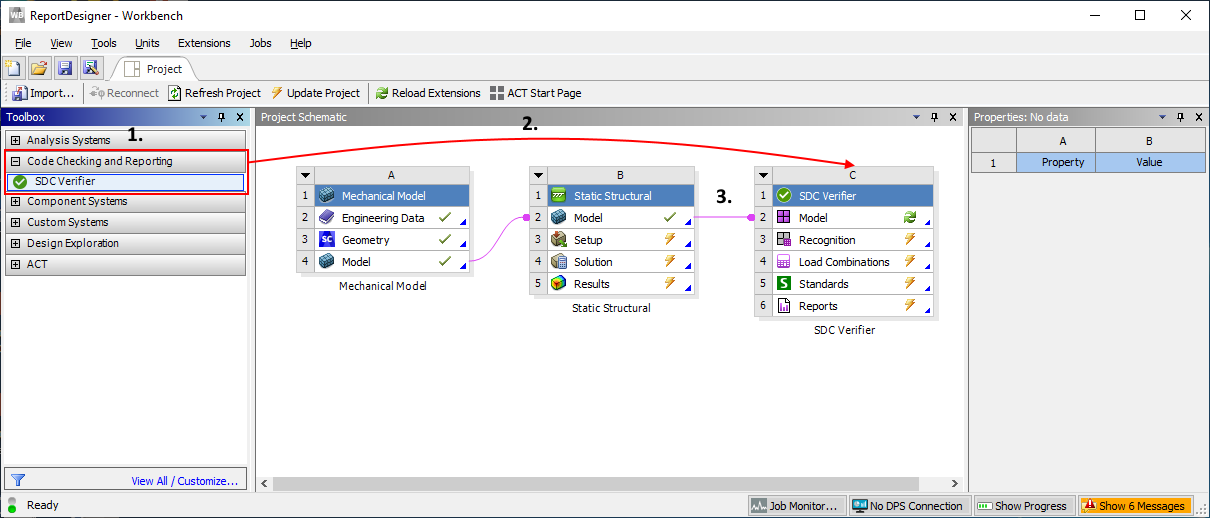
SDC Verifier starts from the Workbench:
Find SDC Verifier in the list;
Drag item to the Project Schematic;
Attach model;
Double click to run SDC Verifier;
Note: Minimum supported version of Ansys is 18.2.
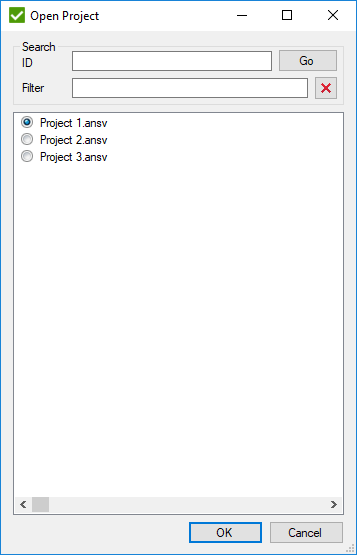
Note: new SDC project will be created if model is opened first time with SDC Verifier. In case one SDC project is saved, it will be opened automatically. List of saved SDC projects will be displayed otherwise:
Warning:
SDC projects are saved together with a workbench project. If the workbench project will not be saved, SDC project changes will be lost.
How to upgrade to the latest Ansys version?
Download the latest version on the website or request link from [email protected].
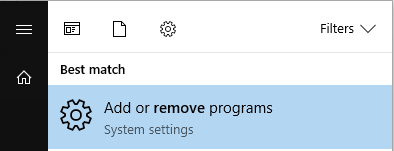
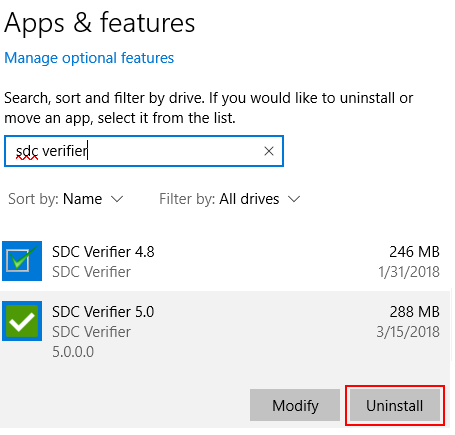
Current version of SDC Verifier should be uninstalled. Execute Start Menu -> Add or remove programs:
Find SDC Verifier and press Uninstall:
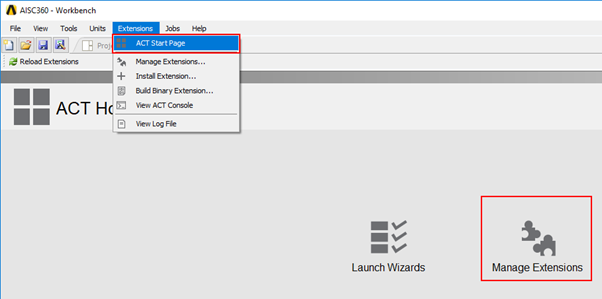
SDC-Ansys Plugin in Workbench also should be uninstalled. Execute Extensions – ACT Start Page and press Manage Extensions:
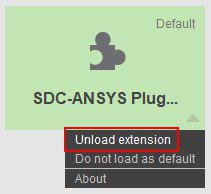
Click on Unload extension:
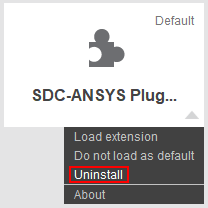
After plugin is unloaded, execute Uninstall command:
When previous version was removed, new version can be installed:
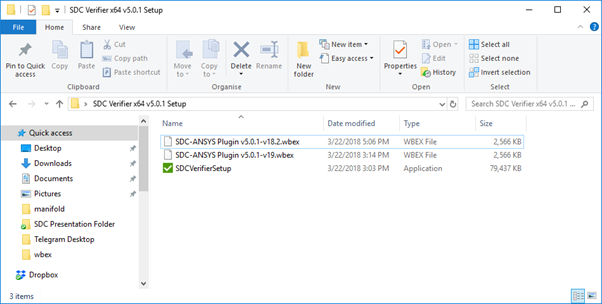
First run SDCVerifierSetup.exe file and follow setup wizard. When installation is complete, install new wbex SDC-Ansys Plugin in Workbench: